From 300-Page Manuals to 30-Second Answers: Prototyping Better Shelter Build Brain
The following is a guest post from Miguel Acebrón García de Eulate, who recently completed the four-week online course on Applied AI (XD131).
I’m a Shelter Technical Advisor at Better Shelter, focused on turning technical guidance into field-ready capability through scalable training systems, operational workflows, and safer decision support. I took the Applied AI course to learn how to reframe some of the challenges I am facing on things that can be solved by AI, and then how to prototype tools quickly with potential for improvement.
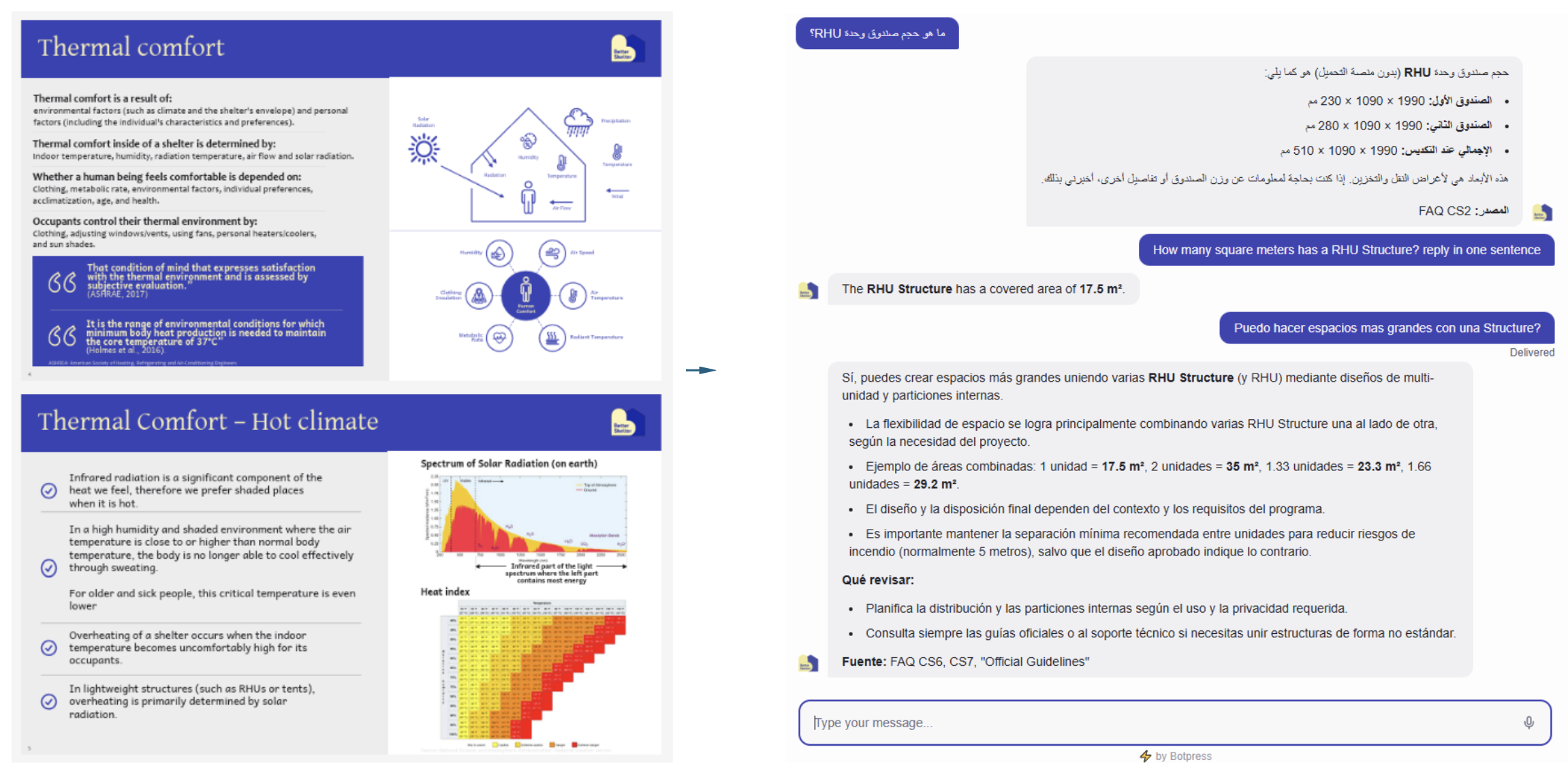
Figure 1: Comparing the same content in static format versus 30-second answers, with clear limits and escalation as generated in Botpress.
Framing the problem
A shelter officer rarely has time to “study” a manual. In the field, questions arrive fast and are usually specific: How much does the shelter weigh? Can we anchor in loose sand? What should change for snow and sub-zero temperatures? In those moments, the barrier isn’t missing information. It’s to filter the info as quickly as possible.
At Better Shelter website, we publish technical guides designed for builders and operations teams, supported by photos, diagrams, and step-by-step instructions. We try to keep them short and highly visual aware of the time constraints on the field. But even well-designed PDFs become hard to use when the user is juggling procurement, site supervision, coordination across agencies, and rapid decisions.
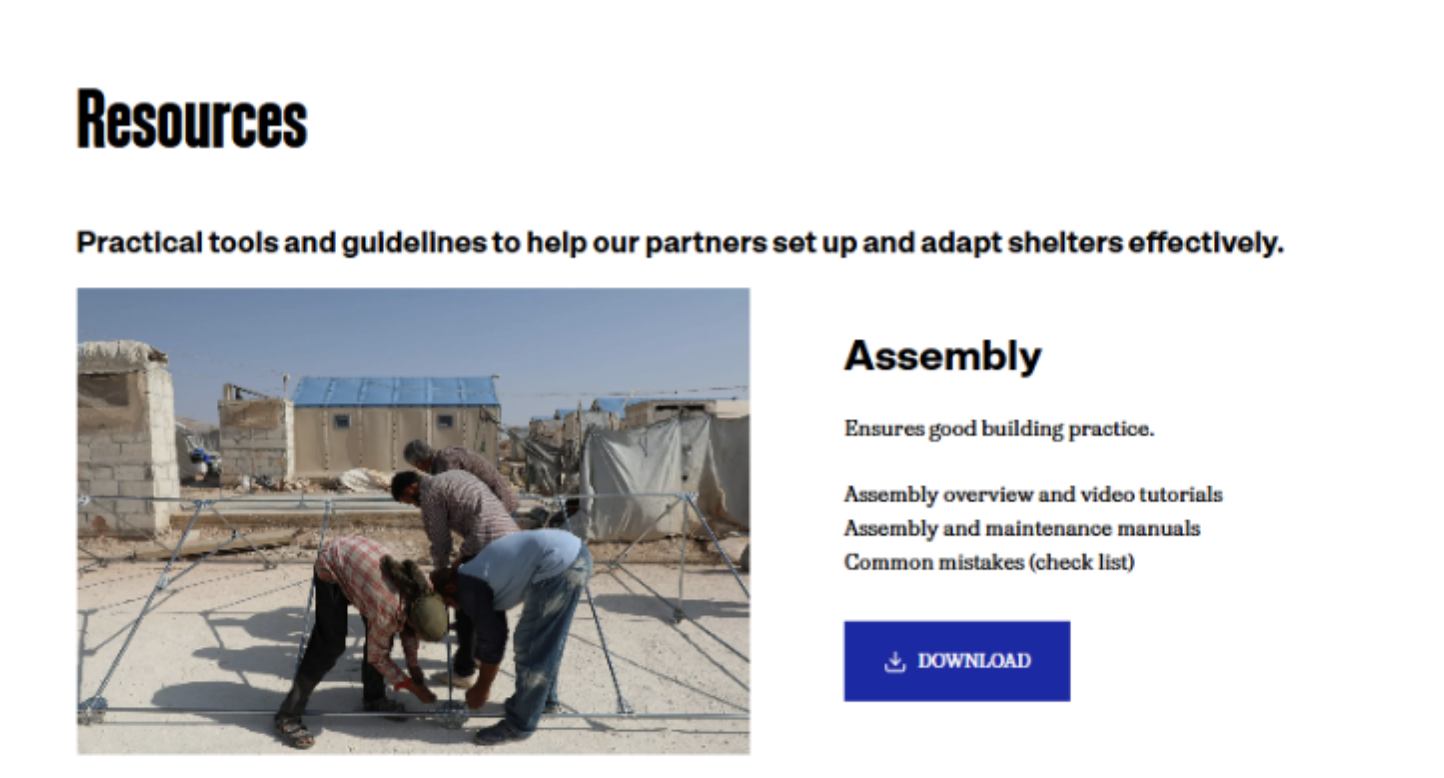
Figure 2: Key guidance currently lives in long PDFs. Useful, but hard to search under time pressure.
There’s a deeper access issue too. Expecting someone to navigate in some 300-page document assumes time, connectivity, language fluency, and focus usually shaped by academic training. That expectation might be framed as another type of privilege, and in humanitarian response it can become quietly exclusionary. The reality is that many of the people implementing programs day-to-day need answers in seconds, in their own language, and in a format that fits operational life. But likewise, do not exclude access to relevant information by providing a short guide/flyer that is easy to translate.
Because documentation has another unavoidable tradeoff: to keep a guide usable, authors must filter information. Otherwise, the document becomes infinite. That editorial constraint is necessary, but it creates friction for quick lookups and local edge cases. A well-designed assistant changes the constraint. A bot doesn’t need to be short in knowledge; it needs to be reliable, grounded, and safe. It needs to have clear boundaries. But it can also hold far more context than a traditional guide while still giving crisp, task-specific answers.
This is the gap Better Shelter Build Brain is meant to address: a multilingual, guardrailed assistant that turns existing technical knowledge into fast answers, while knowing when to stop and escalate to a human.
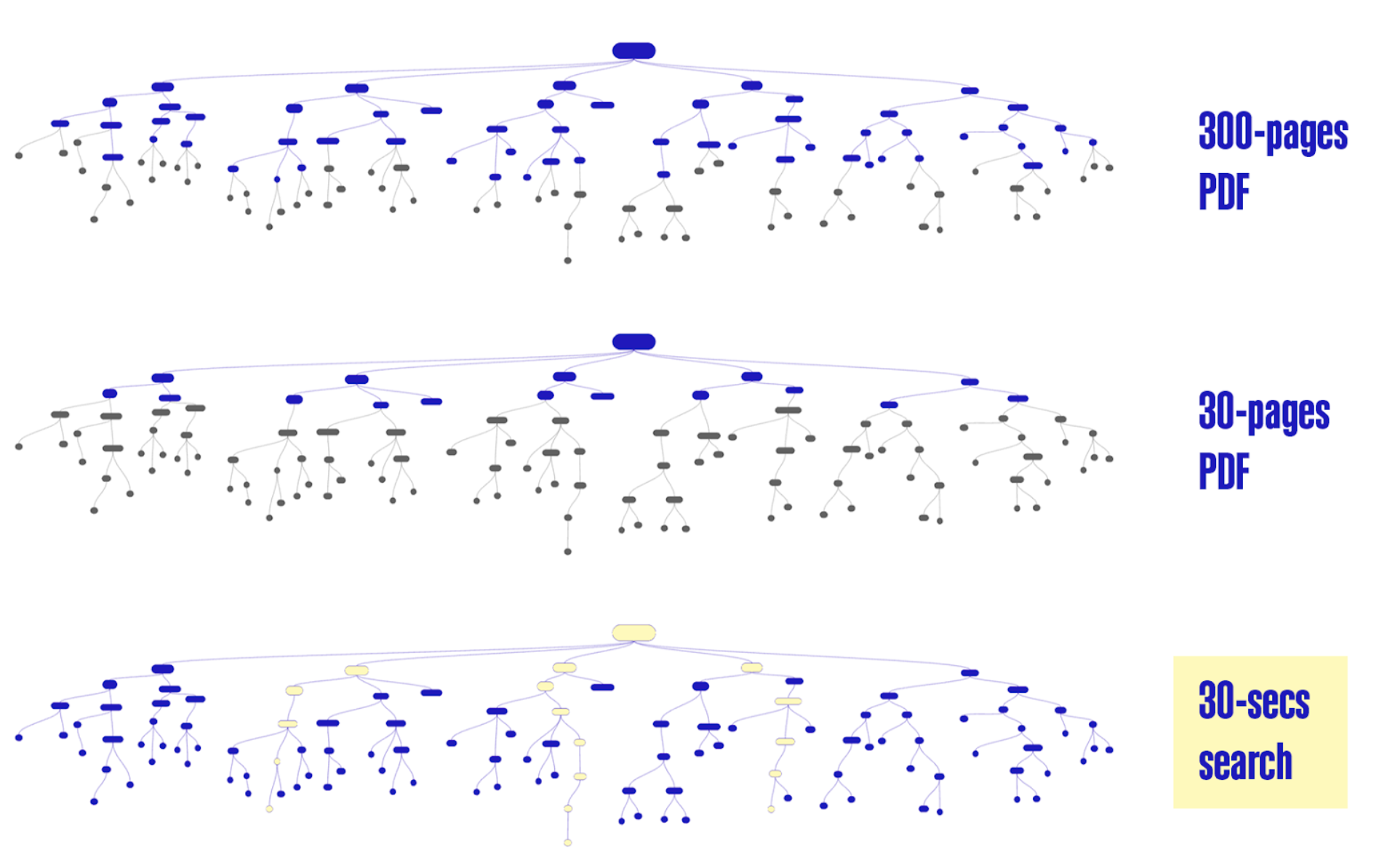
Figure 3: Critical guidance lives in PDFs, a chatbot turns it into a question-led path to the right level of detail.
Process: How I built the MVP
I approached Build Brain as a workflow first, not a “perfect AI brain.” My goal was to ship an end-to-end MVP I could test quickly, then improve quality over time.
First, I started with what repeats. In technical support, the first questions are often the same across contexts. I collected and prioritized the common ones, then expanded the list with voice-note brainstorming. About 50 questions came quickly based on real support patterns.
Second, I drafted answers using our source materials in ChatGPT, referencing our manuals (e.g., Thermal Comfort, Assembly, Common Mistakes, Logistics, Wind, Localisation, Decommissioning, etc). I did not use the full manuals as the bot’s knowledge base. Instead, I curated the output into a plain-text FAQ knowledge base that is human-reviewable and operationally formatted.
A key learning here: answers worked best when structured in bullet points in a .txt, not in sentences in word/pdf. The AI then drafts the response in the required language. The knowledge base format that performed most consistently was a simple pattern like:
KEY (what to do / the critical number)
NOTE (context that prevents misuse)
LIMITATION (what it does not cover)
DO NOT (the failure mode to avoid)
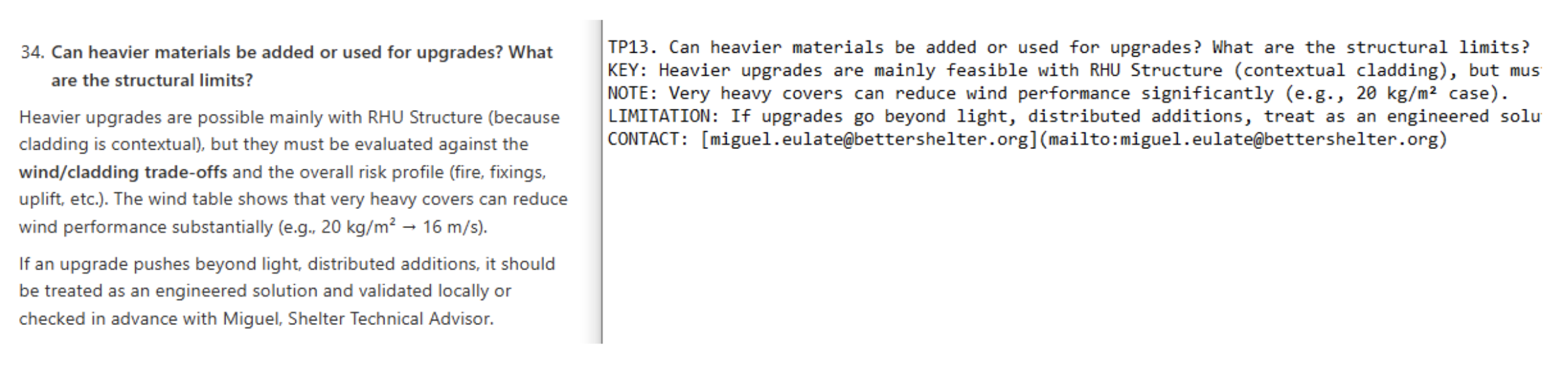
Figure 4: From human prose to an operational KB format (KEY/NOTE/LIMITATION) designed for field use.
Finally, I implemented the bot in Botpress to keep the MVP accessible without requiring users to create accounts. I tested multilingual behavior early in English, Spanish, and French, and documented where the system still attempted “best guesses” instead of escalating before testing it with shelter officers.
For this MVP, success is intentionally modest and measurable:
50% of questions answered correctly (a meaningful reduction of recurring support load)
a working escalation mechanism for anything uncertain or out-of-scope (so uncertainty routes to a human, not hallucination)
How the Applied AI course helped me
Applied AI helped me move from “I ask AI like Google” to “I can create a safe workflow that uses it responsibly to solve real challenges.” The most valuable learning wasn’t a single platform. It was a change of mindset: how to translate a messy real-world issue into a testable system with constraints, guardrails, and feedback loops.
Three shifts mattered most for Build Brain:
Ship the workflow first, then iterate: instead of trying to build a perfect agent, I focused on a minimum viable flow that could be tested with real users.
Use AI as a critic, not only a generator: asking for risks, gaps, and failure modes became a core design habit. In technical guidance, a confident wrong answer is worse than no answer.
Treat privacy, safety, and reliability as digital product requirements: refusal behavior, escalation, and terminology control aren’t “nice-to-haves” in humanitarian support.
It also reinforced something surprisingly practical: the resources are everywhere. The constraint is often conceptual, not technical. Once you name the steps and the risks, building becomes much more straightforward.
Materialization: What the prototype is today
Better Shelter Build Brain is currently a web-based technical knowledge assistant designed to sit on top of our resources page.
The bot already answers a growing set of recurring operational questions, for example:
Weight: RHU Structure kit 69 kg (excluding pallet, ±5%); full RHU kit 162 kg (excluding pallet, ±5%).
Anchoring in sand: feasible, but standard anchoring may be insufficient; test uplift resistance at 10 points (target 110 kg each), reinforce with added mass (concrete) or “ground cone” approaches, and escalate if unsure.
What it does well today:
Fast answers for common questions using a curated 150+ FAQs knowledge base with a clear path to expand based on real usage logs.
Multilingual interaction (validated early in English, Spanish, and French; Arabic and other languages prioritized for native-speaker testing)
Operational formatting that helps field teams act quickly
What still needs improvement (and why that’s the point of an MVP):
The critical gap is refusal behavior. When uncertain, it must stop and escalate instead of guessing.
Multilingual terminology needs tighter control via a controlled glossary (starting in Excel) for construction specific terms across languages.
Roadmap:
Small-cohort testing with shelter officers and iterative expansion based on real queries
WhatsApp/Telegram integration once the escalation and confidence thresholds are proven
Voice interaction (useful for commuting or hands-free use)
Expand support beyond answering questions to include helping shelter officers reliably generate bills of quantities.
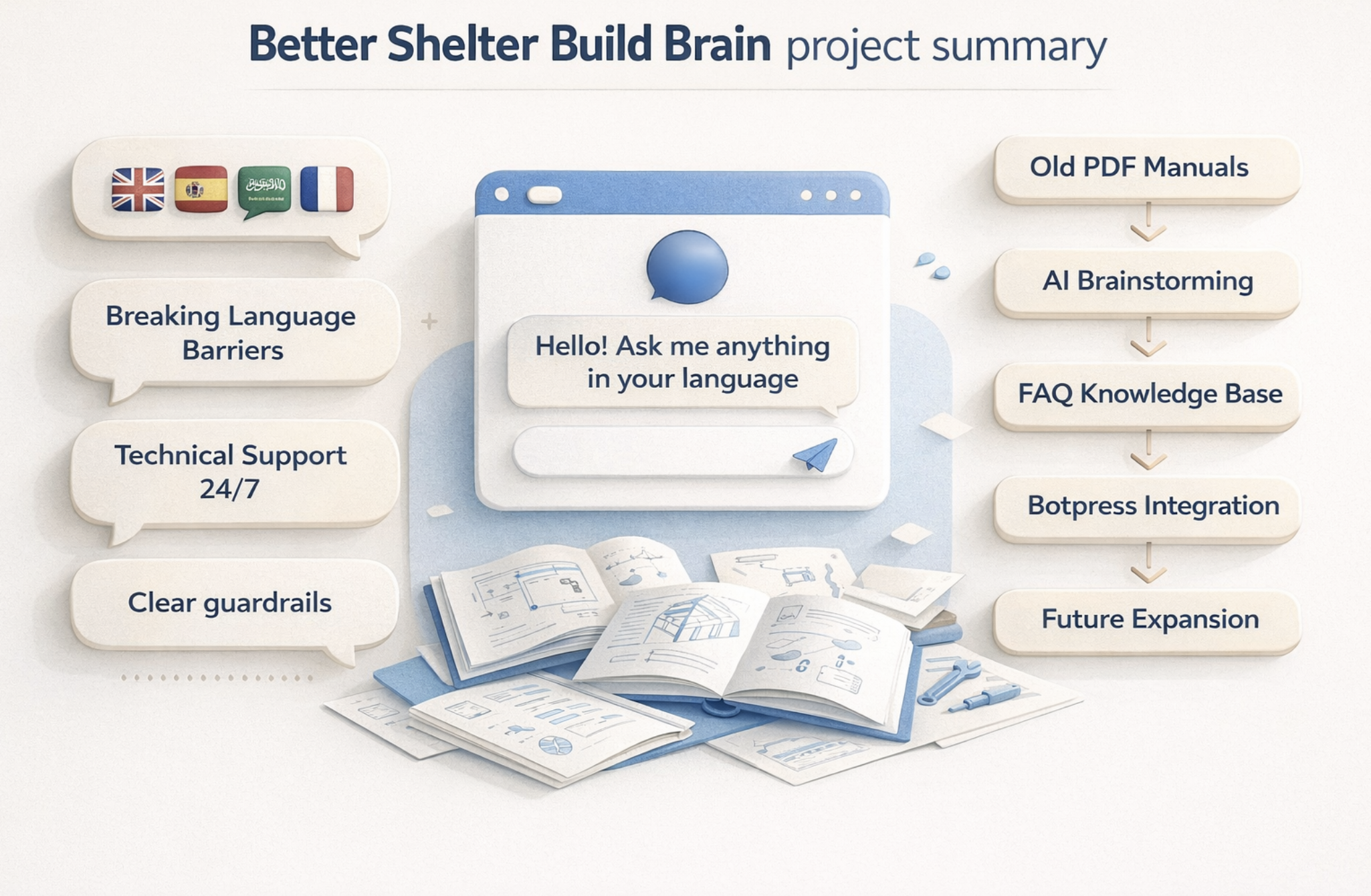
Figure 5: Project summary illustration: old PDFs to multilingual 24/7 support with guardrails.
Conclusion
Build Brain is not trying to replace technical expertise. It’s trying to make expertise accessible at the moment it’s needed, in the language it’s needed, without assuming the user has the time or connectivity to dig through long PDFs.
Even a 50% resolution rate in the beginning, paired with a safe escalation process, can materially reduce repetitive support load and improve operational speed. The long-term value is not “a smarter bot.” It’s a learning system: capture real questions, update the knowledge base, and continuously improve what the community can access.
If you’d like to hear how I built this step-by-step, or you’re working on a similar project, you can connect with Miguel on LinkedIn and message him directly with suggestions, ideas, or questions about implementing a similar assistant.