Building a CV 'Digital Twin' for My Professional Portfolio
The following is a guest post from Aarti Mahajan, who recently completed the four-week online course on Applied AI (XD131).
A Lifelong Learner Who Finally Finished Something
I’m not a coder. I’ve spent 12+ years building operations across Africa, India, and Europe — connecting dots, designing systems, making things work in contexts that rarely come with a manual. When AI started making noise, I was curious but overwhelmed. I played with tools, started things, but nothing turned into a finished project. So I did what I always do: I found someone who could teach me properly. That led me to the Applied AI course at exchange.design.
The course gave me something unexpected: confidence. Each session introduced a new tool, a new possibility. One session stood out — a peer named Deborah, a development professional like me, showed how she was using Make.ai to ease her daily work. Not hypothetically. Live. That made it real.
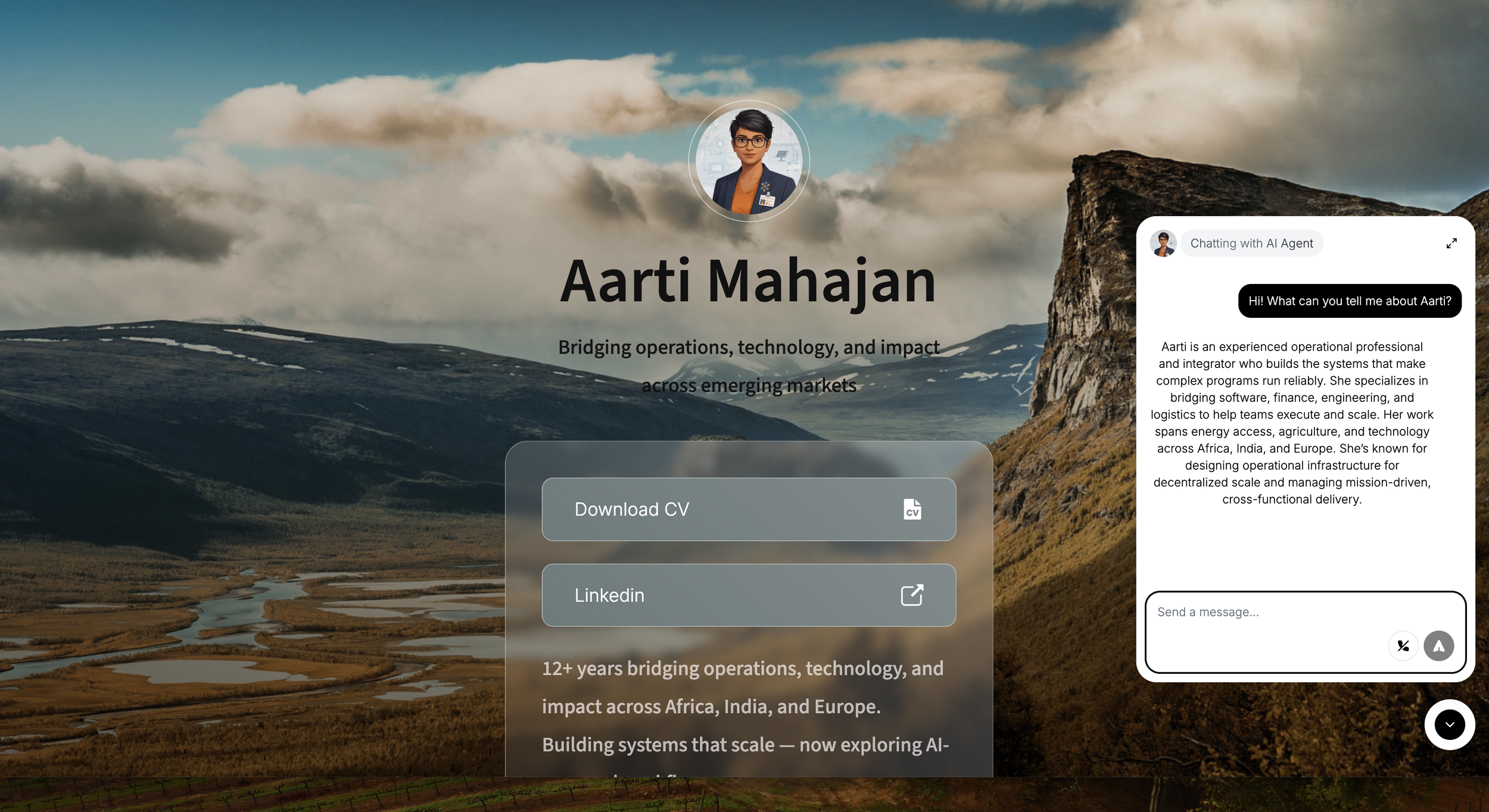
Screenshot of Aarti’s “Digital Twin” as a dynamic, interactive portfolio
What I Built: A Three-Part Portfolio
I’m in a career transition. I talked about being a “systems builder” — but all I had to show for it was a CV. Words on a page. I wanted something an employer could experience, not just read. So I built three things:
1. AI Voice Agent (My Digital Twin) — Built with ElevenLabs, connected to an n8n workflow. Anyone can talk to it, ask about my experience, and request a conversation summary by email or a Calendly link to book a call with me directly.
2. Visual Career Snapshot — A one-page infographic built with ChatGPT that shows 12+ years of work, key outcomes, and the thread connecting it all. Because a CV is just text.
3. One-Page Website — Everything lives at aartimahajan.carrd.co. Download my CV, talk to my digital twin, schedule a call. A living portfolio, not a static document.
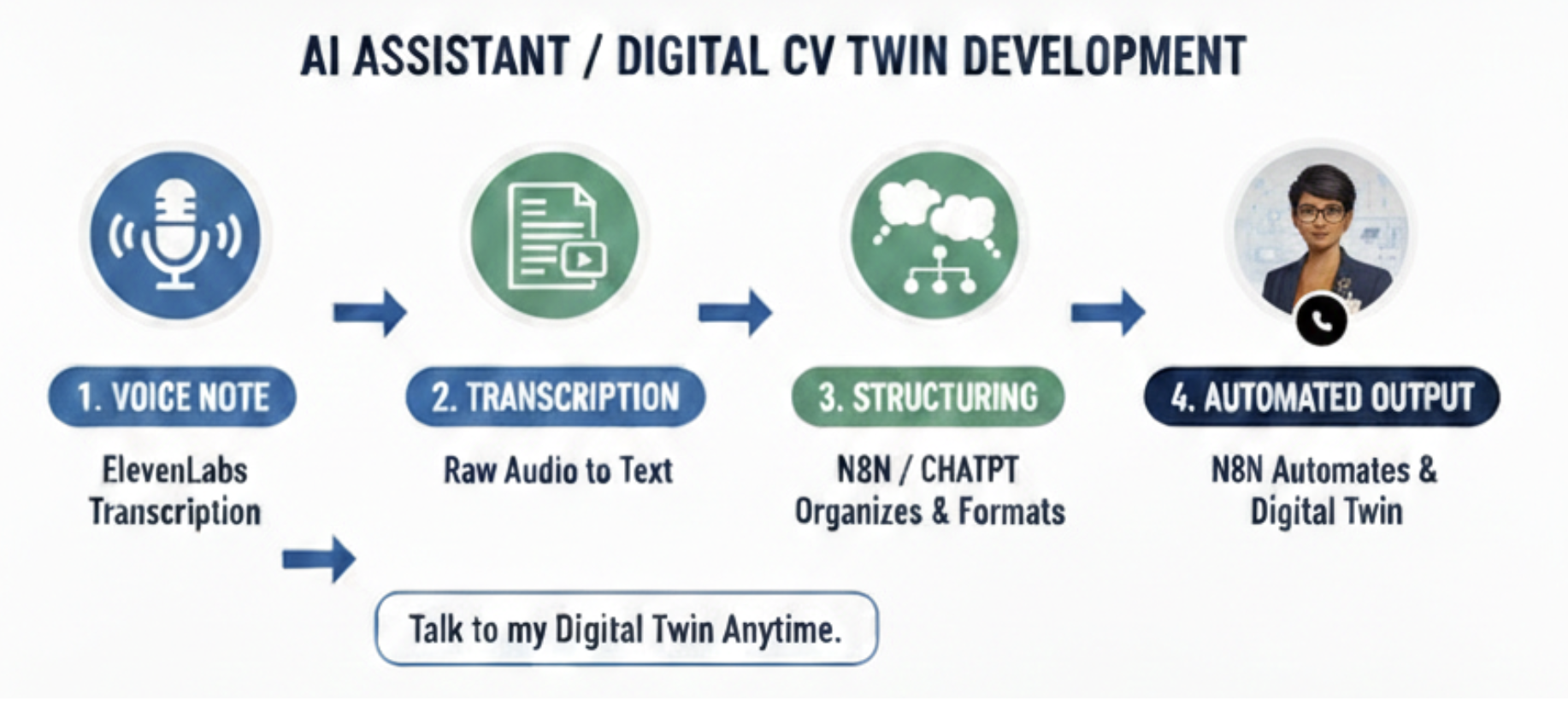
Workflow for developing a Digital CV Twin
The Result
An employer visits the site, talks to my AI assistant, gets a summary of the conversation, and books a call. All without me being there. It’s not perfect. But it’s finished, it’s live, and it’s mine. That’s already more than I had before this course.
What I Actually Learned
• You don’t need to code to build things that work.
• The best project is the one that solves your own real problem.
• Seeing peers build in their actual context beats any tutorial.
If you’re a non-coder sitting on the edge of building something — start with the problem, not the tool. The rest figures itself out.
👉 Try talking to my Digital Twin- Here
Connect with me on LinkedIn — I’d love to hear what you’re building.